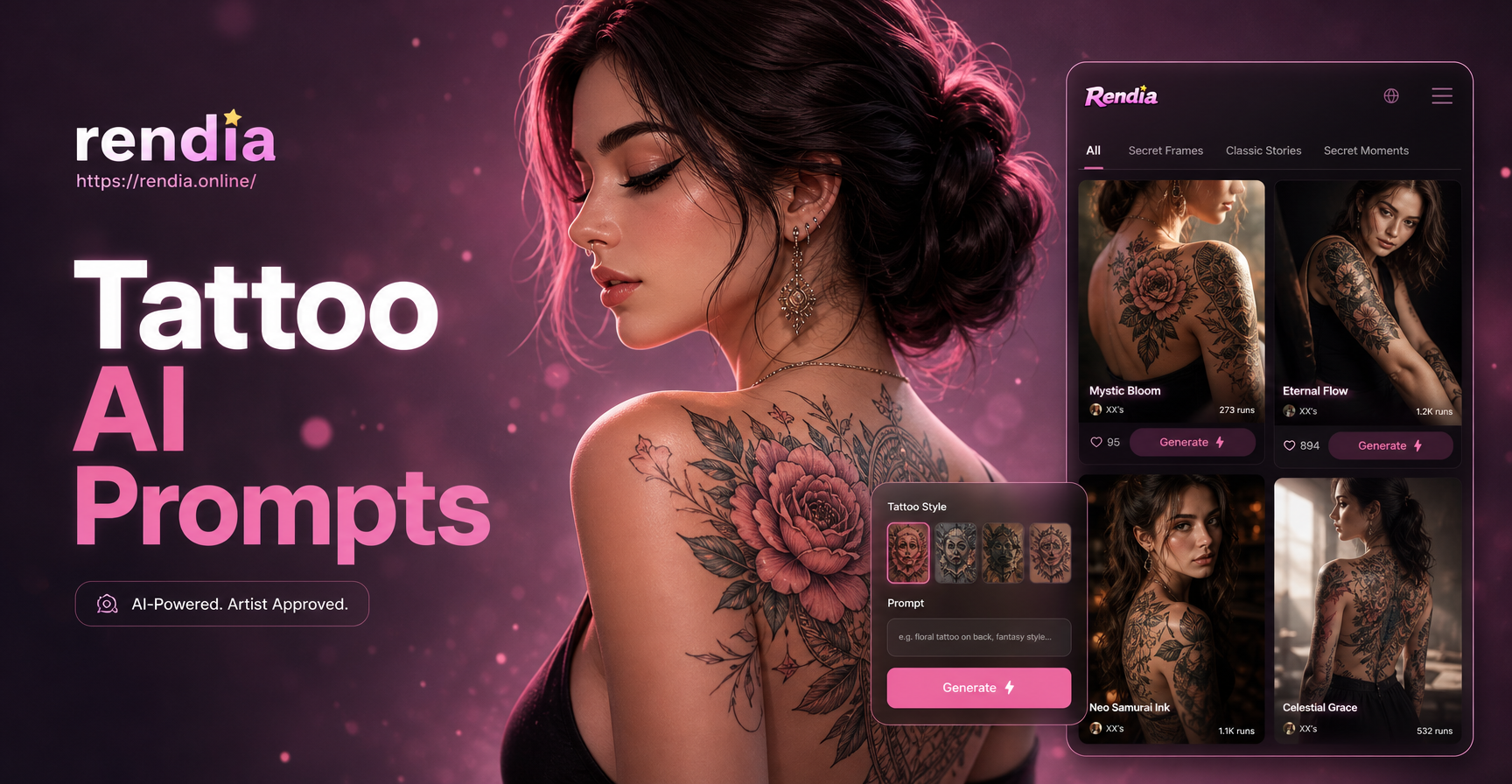
Tattoo AI Photo Prompts are the exact text instructions you give an AI image tool to create tattoo style designs or realistic previews of how a piece might look on skin. A strong prompt removes guesswork and gives you consistent shape, contrast, and color. This guide contains more than 30 ready to use prompts organized by tattoo style. You can copy any prompt into rendia, change a few details, and generate a printable flash sheet or a preview image for your next tattoo idea.
Why Specific Tattoo AI Photo Prompts Matter
Generic phrases like tattoo design often produce cluttered, muddy, or inconsistent results. Tattoo AI photo prompts work better when they include four things: the main subject, the tattoo style, the level of detail, and the background or skin placement. For example, a prompt that says blackwork snake on a clean white background, bold outlines, heavy shading will look much more like a usable tattoo than a vague request. That is because the AI can lock onto a visual tradition instead of guessing. This guide gives prompts with those details already included, so you can start generating immediately.
How to Use These Tattoo AI Photo Prompts
Open the rendia app on your Android phone. Go to the AI image generator, select a tattoo style filter or use the image to image tool with a reference photo. Paste one prompt from this guide, then generate. You can change the animal, object, or style words while keeping the structure. If a result feels too busy, ask for simpler linework or less shading in the same prompt. If it feels too plain, add ornamental details or more contrast.
Blackwork and Dark Art Tattoo Prompts
- A blackwork tattoo design of a coiled snake and dagger, bold outlines, heavy black shading, high contrast, centered on a clean white background, flash sheet style.
- A dark art tattoo of a raven perched on a human skull, solid black fill, subtle grey wash, symmetrical composition, no text, printable design.
- A blackwork wolf head with geometric split face, sharp linework, negative space highlights, clean edges, back piece style on a light background.
- An ornamental blackwork mandala with fine dot shading, circular balance, high detail, no color, white background, ready to print.
- A black and grey grim reaper holding an hourglass, heavy shadows, smoke like background, bold outer lines, tattoo flash style.
For these prompts, the words clean white background and flash sheet style help the AI separate the design from a busy digital backdrop. If you plan to preview the design on skin later, generate the flash sheet first, then use the rendia image to image tool with a photo of the body part and the same prompt.
Traditional and Neo Traditional Tattoo Prompts
- An American traditional tattoo of a panther head, thick black outlines, limited red and yellow palette, minimal shading, vintage flash style.
- A neo traditional tattoo of a fox with floral border, bold outlines, rich teal and orange colors, soft gradients, decorative leaves, white background.
- A traditional rose and dagger tattoo, classic sailor style, red and green ink, strong black contours, low shading, centered composition.
- A neo traditional moth with jewel tone wings, gold accents, detailed antennae, balanced shape, no background clutter.
- A traditional anchor with rope and swallow, navy blue and red accents, old school tattoo style, crisp linework, printable.
Fine Line and Minimal Tattoo Prompts
- A fine line tattoo of a small wildflower stem, delicate black lines, no shading, minimalist botanical style, white background.
- A single line tattoo of a cat face, continuous line, elegant curve, black ink on white, tiny design for wrist placement.
- A fine line crescent moon with tiny stars, thin black lines, subtle dot work, minimal composition, soft grey background.
- A minimalist geometric heart made of one broken line, no fill, clean edges, black ink, white background.
- A fine line butterfly with open wings, thin black details, light stipple shading, elegant and simple, printable.
Watercolor and Color Tattoo Prompts
- A watercolor tattoo of a hummingbird, soft splashes of blue and purple, no black outline, flowing pigment effect, white background.
- A watercolor style lion head with bright orange and teal splashes, abstract paint drips, soft edges, bold silhouette, tattoo design.
- A colorful koi fish tattoo with watercolor splashes, red and gold pigment, black ink details, dynamic swimming pose, white background.
- A watercolor galaxy inside a crescent moon, purple, blue, and pink washes, tiny white stars, no text, tattoo style.
- A watercolor poppy flower with green stem, red and orange washes, loose brush strokes, minimal black line, printable tattoo art.
Japanese and Cultural Tattoo Prompts
- A Japanese style tattoo of a hannya mask, red and black ink, expressive eyes, traditional waves and cherry blossoms, bold outlines, white background.
- A Japanese dragon coiled around a kanji scroll, blue and gold scales, black wind bars, detailed whiskers, full sleeve style.
- A traditional Japanese koi swimming upstream, orange and white color, black water waves, cherry blossom petals, tattoo flash style.
- A samurai helmet tattoo with peony flowers, red and black contrast, grey shading, ornamental armor details, clean background.
Realistic Portrait and Nature Tattoo Prompts
- A realistic black and grey portrait of a lion, soft grey wash, detailed fur texture, deep eyes, no background, fine art tattoo style.
- A realistic clock and compass tattoo, metallic grey shading, visible gears, black ink, high detail, white background.
- A realistic snake eye macro tattoo, detailed scales, green and yellow iris, black shading, dramatic lighting, tattoo design.
- A realistic forest silhouette tattoo, layered pine trees, foggy grey background, high contrast black ink, full forearm style.
Geometric and Dotwork Tattoo Prompts
- A geometric wolf tattoo made of triangles and lines, black ink, white background, precise angles, modern tattoo style.
- A sacred geometry flower of life with dotwork shading, black and grey, symmetrical, clean white background.
- A geometric stag head with horizon line, thin black lines, fine dot shading, minimalist modern tattoo.
- A dotwork sun and moon combination, concentric circles, black stipple shading, balanced composition, printable.
Prompt Formula for Tattoo AI Photos
Use this structure to build your own Tattoo AI Photo Prompts. Start with the style word, then the main subject, then the specific details, then the background or placement. Example: A fine line tattoo of a mountain landscape, thin black lines, no shading, white background. When you want a preview on skin, replace the background with on the inner forearm, photorealistic skin texture, soft studio lighting. That helps the AI render the tattoo as a photo instead of a flat flash design.
Common Weak Results and How to Fix Them
If your tattoo image looks smeared, add bold outlines or crisp linework to the prompt. If the design appears too dark or muddy, add clean negative space or less shading. If the result has letters or random symbols, add no text to the prompt. If the image looks like a painting instead of a tattoo, add flash sheet style or hand drawn tattoo design. With rendia, you can also use the image to image feature to upload a rough sketch and refine it with these same prompts. That often gives you better control over placement and shape.
Conclusion
These Tattoo AI Photo Prompts give you a strong starting point for blackwork, traditional, fine line, watercolor, Japanese, realistic, and geometric designs. Copy a prompt, open rendia on your Android device, choose a style filter, and generate. Change the subject words to match your own idea while keeping the style and background details. The more specific you are, the closer you get to a custom tattoo design you can show your artist or print for reference.